As an Amazon Associate this site earns from qualifying purchases.
Top Picks
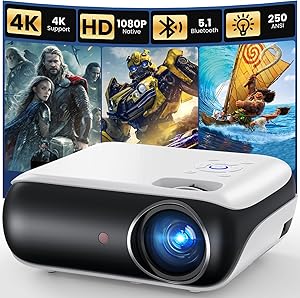
![Smart Projector 4K [VIDAA Live TV & 36W Dolby & Voice Control] with WiFi6 and Blue](/aimg/images/I/816Shs0uwRL._AC_SL300_.jpg)
![Smart Projector 4K [VIDAA Live TV & 36W Dolby & Voice Control] with WiFi6 and Bluetooth, Short Throw Projector Compatible with Netflix, AI Auto Focus, HDR10, Home Theater Proyector for Outdoor Movies](https://projvue.com/aimg/images/I/51LPK2IYH0L._SL500_.jpg)
The Arithmetic for a 120-Inch Screen
A 120-inch 16:9 screen is 104.6 inches wide (diagonal ÷ 1.147). The throw distance required is:
Throw distance = throw ratio × 104.6 inches
| Throw ratio | Required lens-to-screen distance |
|---|---|
| 1.25:1 | 131 in (10 ft 11 in) |
| 1.35:1 | 141 in (11 ft 9 in) |
| 1.45:1 | 152 in (12 ft 8 in) |
| 1.60:1 | 167 in (13 ft 11 in) |
| 1.75:1 | 183 in (15 ft 3 in) |
| 2.00:1 | 209 in (17 ft 5 in) |
Finding the right sony xw5000es vs jvc nz7 throw distance lens shift comes down to matching the features to how you will actually use it.
Reviewed by the ProjVue Editorial Team
Last Updated: August 2026 Written by the ProjVue Editorial Team
Both of these are native 4K, laser-lit, premium home cinema projectors, and both are bought by people who have a dedicated room. The picture-quality comparison between them has been made many times. The comparison that gets skipped is whether either one physically fits the room you have — and at this price, a projector that cannot reach your screen size from your mount position is an expensive mistake.
This page compares them on placement: throw range, lens shift, and what it takes to fill a 120-inch screen in a room with about fourteen feet of usable depth.
Fourteen Feet Is the Awkward Depth
A twenty-foot dedicated room places no real constraint on a premium projector — the lens can sit wherever the geometry is happiest. A ten-foot room rules these projectors out and sends you to short-throw or UST.
Fourteen feet is the depth where the decision is genuinely close. It is enough for a rear-of-room ceiling mount, but not with much to spare once you subtract clearance behind the projector and the depth of the seating. It is the depth at which throw-range specifications stop being trivia and start being the deciding factor.
Now subtract from your fourteen feet: the screen sits against the front wall, and the projector needs clearance behind it for cables and exhaust — call it six to twelve inches. That leaves roughly thirteen feet, or 156 inches, of usable lens-to-screen distance in a fourteen-foot room with a rear ceiling mount.
Read that against the table: a projector whose zoom range reaches down to about 1.45:1 or shorter fills a 120-inch screen comfortably. One whose wide end is 1.6:1 is right at the edge. One that starts at 1.75:1 or longer does not fill 120 inches in that room, full stop.
Both of these projectors publish zoom ranges rather than fixed ratios, and the wide end of the range is the number that matters here. Take it from each manufacturer's current specification sheet — the block below records what the listings state — and run it through the same division. Ignore the telephoto end. It tells you how far back the projector can sit, which is not a problem you have in a fourteen-foot room.
Lens Shift Is the Second Half of the Answer
Throw range tells you whether the image is big enough. Lens shift tells you whether it lands where the screen is.
Premium projectors in this class use motorised optical lens shift, expressed as a percentage of image height (vertical) and image width (horizontal). Optical shift moves the projected image across the lens's image circle without resampling — unlike digital keystone, it costs no resolution.
Why it matters more in a fourteen-foot room than a twenty-foot one:
Ceiling height forces compromise. In a shorter room the projector often ends up on a shorter drop tube, or on a rear shelf rather than the ceiling, because the mount has to clear the back row of seating. Generous vertical shift lets the image sit correctly on the screen from an unideal height.
Rear shelf mounting becomes attractive. A shelf behind the seating avoids the head-in-beam problem and can recover a foot of throw. It also puts the lens well below the screen centre, which needs positive vertical shift to correct.
Riser platforms move the geometry. A second row on a riser changes where the mount can go without a head in the light path.
One caveat worth knowing: on most projectors the published maximum vertical and horizontal shift figures cannot both be used at once. The image circle is round; using maximum vertical shift reduces the horizontal shift still available, and vice versa. Manufacturers usually publish a shift-range diagram showing the usable envelope. If your install needs a lot of both, check the diagram rather than the two headline percentages.
Practical Placement Options at Fourteen Feet
Rear ceiling mount, short drop tube. The default. Needs the projector's wide-end throw ratio to reach your screen size from about thirteen feet, and enough vertical shift to bring the image down onto the screen from ceiling height.
Rear shelf behind the seats. Recovers throw distance, removes the shadow risk, and often lands the lens closer to screen centre height, needing less shift. Costs: fan noise directly behind the audience, so the published noise figure in your chosen light-output mode matters. Both of these projectors are laser units, which generally helps here, but "quiet" is relative to how hard the light engine is being driven.
Side-offset mount. Sometimes forced by a soffit, a beam or a light fitting. This is what horizontal lens shift exists for, and it is where the combined-shift envelope caveat bites hardest.
What not to do: correct any of the above with digital keystone. On a native 4K projector at this price, resampling the image to fix geometry is discarding the exact thing you paid for. Use optical shift, or move the mount.
The Checks to Run Before Choosing Between Them
- Measure the room: front wall to rear wall, and the ceiling height at the intended mount position.
- Subtract clearance behind the projector — six to twelve inches — for the usable throw figure.
- For each projector, take the wide end of the published zoom range and divide your usable throw by it. That is your maximum image width; multiply by 1.147 for the diagonal.
- Confirm that maximum is at or above your intended screen size, for both units.
- Work out the vertical offset your mount position requires, as a percentage of image height, and check it against each projector's shift envelope diagram, not just its headline figure.
- Check that no seating position, in either row, puts a head in the light path.
- Only when both projectors clear all six checks does the picture-quality comparison become the deciding one.
Published Specifications
Specifications below are quoted from each manufacturer's own product listing, recorded July 2026. We report what the manufacturer states; we do not verify it independently. Customer ratings are other buyers' reports, not our assessment.
| Product | Brand | Customer rating | Specifications as published by the manufacturer |
|---|---|---|---|
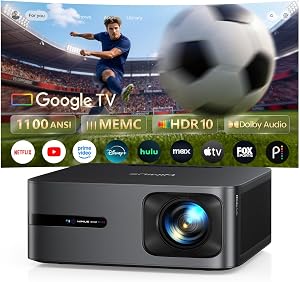
| WiMiUS G2 Official Google TV 14.0 Projector, 4K Supported, Real 1100… | WiMiUS | 4.7 | [Real ISO 1100 ANSI & 4K Support - Authentic Cinematic Clarity] Delivering true 1100 ANSI brightness, G2…; Equipped with powerful 30W Dolby Audio speakers, the G2 delivers rich, cinematic sound with deeper bass…; Equipped with HDMI 2.1 port, USB, a 3.5mm audio output, and intuitive top control buttons |
| Smart Projector 4K [VIDAA Live TV & 36W Dolby & Voice Control] with… | TOPTRO | 4.9 | [36W Dolby Audio | Two-Way Bluetooth 5.2 | HDMI ARC & CEC: Immersive Cinema Experience] Movie projector with…; [4K Decoding | Real 650 ISO ANSI | HDR10: Genuine Brightness Performance] The video projector supports 4K…; The outdoor projector also equipped with HDMI, USB, and 3.5mm audio ports for easily connect laptops… |
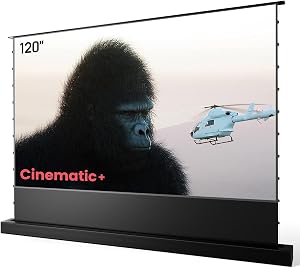
| AWOL VISION 120" Motorized ALR Floor Rising Projector Screen for Ult… | AWOL VISION | 4.4 | Experience the brilliance of 4K/8K projections with the support; 0.4mm sound hole of the screen is designed with an acoustic transparent feature for a surround sound… |
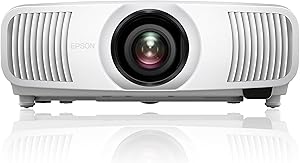
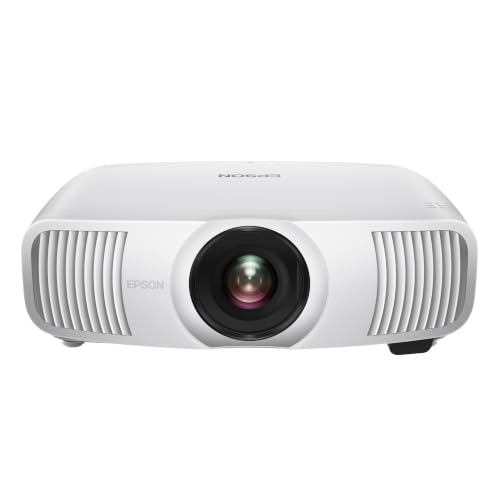
| Epson Home Cinema LS11000 4K PRO-UHD Laser Projector, HDR, HDR10+, 2… | Epson | 4.3 | 4K PRO-UHD (1); Impressive 2,500 lumens of color and 2,500 lumens of white brightness (3) for an exceptional picture in…; 120 Hz Refresh Rate |
How We Research
Home Theater Projectors Complete Site is a research and comparison site. Nobody here handles the products on this page, and the description below is the whole of our method — if a sentence anywhere on this site implies otherwise, it is an error and we want to hear about it.
What the comparison is built from. Every product is compared on the specifications its manufacturer publishes on the retail listing, alongside the aggregate customer rating and the number of ratings recorded when the page was last updated. Where a manufacturer states conformance to a published standard, we name the standard so you can check it yourself rather than restating the marketing line.
How products get onto the list. Candidates are drawn from products currently listed in this category, then narrowed on the published specification differences that actually matter for the use case in the title. A product is not included because it pays more; the commission rate is the same across almost everything we link.
What gets re-checked. Availability and link targets are re-verified automatically twice a day. Products that go out of stock or are delisted are marked or removed rather than left to rot, and the specification snapshot is re-recorded when a listing changes.
What we do not do. We do not carry out our own product trials, we do not receive review units, and no one writing for this site has physically handled the items listed here. Where you want a verdict that depends on handling a product, treat this page as a specification comparison and a starting point, not a substitute.
Frequently Asked Questions
What is the difference between lens shift and keystone correction? Lens shift moves the optical assembly to reposition the image within the lens's image circle, with no loss of resolution. Keystone correction resamples the image digitally to fit a shape the lens is not producing, which discards pixels and softens detail. On a native 4K projector, shift is the tool and keystone is the last resort.
Can I use maximum vertical and maximum horizontal lens shift at the same time? Generally no. The image circle is round, so using more of one reduces how much of the other remains available. Manufacturers publish a shift-envelope diagram for exactly this reason; check it if your install needs both.
Is a rear shelf mount better than a ceiling mount in a short room? Often, yes. It recovers throw distance, removes the shadow risk, and usually sits closer to screen centre height so it needs less shift. The trade is fan noise directly behind the seating, so check the published noise figure in the light-output mode you will actually use.
Should I measure throw distance from the wall or the lens? From the lens to the screen surface. Throw ratio is defined that way. Measuring from the rear wall adds the depth of the chassis and will leave your image smaller than the calculation predicted.
Does screen gain change any of this? Not the geometry. Gain affects brightness, not image size or placement. Throw range and lens shift decide whether the image fits; gain decides how bright it looks once it does.
Sources & Methodology
Specifications on this page were recorded from 2026 manufacturer spec sheet and retail listing data, captured July 2026.
Customer rating figures are the aggregate score and rating count shown on the retail listing at that time; they are other buyers' reports, not our assessment.
Independent references for this category. These are places to verify a category claim for yourself. We link them because they are authoritative, not to imply their tests were run on our behalf:
- ISO 21118 — data-projector specification disclosure
- FTC Endorsement Guides — the disclosure rules this site is bound by
- CPSC recall database — check any product for open safety recalls
About the Author
This page was written by the ProjVue editorial team. ProjVue is a research and comparison site: nobody here handles the products discussed on this page, and our recommendations are not based on physically using, owning, or trying them, nor on systematically reading customer reviews. The analysis is built from the specifications manufacturers publish, Amazon's official product data for each listing, the geometry and brightness arithmetic those specifications imply, and publicly documented standards you can check for yourself. We do not accept payment for placement or rankings.
Key Takeaways
- Choosing the right sony xw5000es vs jvc nz7 throw distance lens shift means matching the key features to your specific needs and budget
- Read real customer reviews and check the return policy before you commit
- Also covers: throw distance for 120 inch screen
- Also covers: lens shift vs keystone correction 4k projector
- Also covers: projector lens shift envelope diagram
- Compare value across models — the priciest option is not always the best fit


