As an Amazon Associate this site earns from qualifying purchases.
Top Picks
![[Built-in Apps/4K Support] Smart Outdoor Projector with WiFi and Bluetooth, Movie Projecto](/aimg/images/I/81y-kNix+lL._AC_SL300_.jpg)
![[Built-in Apps/4K Support] Smart Outdoor Projector with WiFi and Bluetooth, Movie Projector, DoIby Audio with Dual Speaker, Auto Focus w/ YouTube&PrimeVideo Proyector, Upgrad P62 Pro](https://projvue.com/aimg/images/I/51H3v1q5xyL._SL500_.jpg)
Screen Luminance by Screen Size
Take a projector at 3,600 lumens on a 1.0-gain screen. Areas and resulting screen luminance:
| Diagonal | Approx. area | fL at 3,600 lm, 1.0 gain |
|---|---|---|
| 92 in | 25.2 sq ft | 143 fL |
| 100 in | 29.8 sq ft | 121 fL |
| 110 in | 36.0 sq ft | 100 fL |
| 120 in | 42.9 sq ft | 84 fL |
| 135 in | 54.3 sq ft | 66 fL |
| 150 in | 67.0 sq ft | 54 fL |
Reviewed by the ProjVue Editorial Team
Finding the right optoma uhd55 brightness screen size ambient light comes down to matching the features to how you will actually use it.
Last Updated: August 2026 Written by the ProjVue Editorial Team
A brightness figure on a box is not a room specification. The Optoma UHD55 publishes a lumen rating in the mid-3,000s, and the question that actually matters is what that rating produces on the screen size you want, in the light your room has. Those are two different numbers, and the second one is the one you watch.
This page works through the arithmetic that connects them: how projector lumens become screen luminance, how screen size and gain change the answer, and how big a screen the UHD55 can carry before an ambient-light room starts to win.
Lumens Are a Projector Spec; Foot-Lamberts Are a Room Spec
Lumens measure total light output from the projector. Foot-lamberts measure how bright the screen looks to you. The conversion is:
fL ≈ (lumens × screen gain) ÷ screen area in square feet
Screen area for a 16:9 screen can be worked out from the diagonal: width = diagonal ÷ 1.147, height = width ÷ 1.778, area in square feet = (width × height) ÷ 144.
The reference points that matter:
- 16 fL is the SMPTE recommendation for a dark, dedicated cinema room. Film is mastered to look right at roughly this level.
- 25–40 fL is a comfortable range for a living room with some light present.
- 50 fL and above is where an image starts to look punchy in a genuinely bright room — and where it starts to look harsh and fatiguing at night.
Those figures assume the projector actually delivers its rated output — which it does only in its brightest picture mode. That mode is typically the least colour-accurate one, with a cool or green-shifted white point and the lamp or laser driven hard. A calibrated, accurate picture mode commonly measures well below the headline figure, sometimes by half.
So redo the table honestly. Assume a calibrated mode delivering around 55 per cent of rated output — roughly 1,980 lumens:
| Diagonal | fL at ~1,980 lm, 1.0 gain |
|---|---|
| 100 in | 66 fL |
| 120 in | 46 fL |
| 135 in | 36 fL |
| 150 in | 30 fL |
That second table is the one to plan from. It says a projector of this class comfortably carries a 120-inch screen in a controlled room, and can stretch to 150 inches in a dark one, but it does not carry 150 inches in a room with the blinds open.
Where Ambient Light Enters the Calculation
Ambient light does not reduce screen luminance. It raises the black level, which destroys contrast, and contrast is what makes an image look bright to the eye.
Two rooms, the same projector, the same screen, the same 66 fL of white:
- Dark room: black level near zero. Perceived contrast is enormous. The image looks vivid at 66 fL.
- Daytime living room: ambient light lands on the screen and reflects back, lifting black to a visible grey. The white is still 66 fL, but the ratio between white and black has collapsed. The image looks washed out despite being measurably just as bright.
The practical rule for a projector in the UHD55's class:
- Dark or near-dark room: you have brightness to spare. Use a calibrated mode, size the screen up to 130–150 inches, and spend on contrast and screen flatness rather than output.
- Evening living room with lamps: 100–120 inches on a neutral screen is the sweet spot. Comfortably lit, accurate, no compromises needed.
- Daytime room with indirect light: stay at or below about 110 inches and pair with an angular-reflective ALR screen designed for long-throw projectors. The screen is doing more work than the extra lumens would.
- Direct sunlight on the screen wall: no configuration of this projector produces a good image. Treat the windows first.
Screen Gain: A Multiplier With Conditions
Screen gain multiplies the luminance figures above directly — a 1.3-gain screen at 120 inches turns 46 fL into about 60 fL. It is the cheapest brightness upgrade available, and it comes with three conditions.
Viewing angle narrows. Gain works by concentrating reflected light toward the centre axis. Seats at the edges of a wide sofa see a dimmer image.
Hotspotting risk rises, especially on larger screens, showing as a visibly brighter region in the centre of the image.
Ambient light is amplified too. A high-gain white screen reflects room light back at you along with the projector's light. It raises white and black together, so it does not improve contrast in a lit room — that is the job an ALR screen does, and it is a different technology from plain gain.
The Practical Shortlist for Sizing a Screen
- Decide the room's realistic light level, at the worst time of day you will use it.
- Pick a target fL: 16–25 for a dark room, 30–50 for a lit one.
- Assume a calibrated picture mode delivers roughly half to sixty per cent of rated lumens.
- Solve for area: area = (lumens × gain) ÷ target fL.
- Convert area back to a diagonal and buy at or below that size.
- Check the throw ratio will actually produce that image from where the projector can sit — brightness and geometry both have to work, and geometry is the harder constraint to change later.
Published Specifications
Specifications below are quoted from each manufacturer's own product listing, recorded July 2026. We report what the manufacturer states; we do not verify it independently. Customer ratings are other buyers' reports, not our assessment.
| Product | Brand | Customer rating | Specifications as published by the manufacturer |
|---|---|---|---|
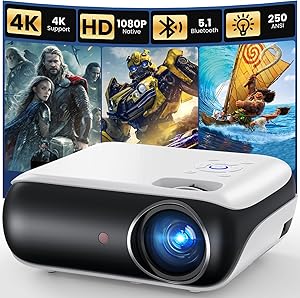
| [Built-in Apps/4K Support] Smart Outdoor Projector with WiFi and Blu… | WiMiUS | 4.6 | [Cinematic 4K Support & 600ANSI & HDR10 |
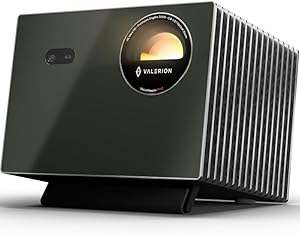
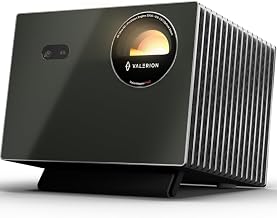
| Valerion VisionMaster Pro2 Triple Laser Projector 4K,15000:1 Contras… | Valerion | 4.6 | Get lost in 4K UHD clarity enhanced by AI Super Resolution for sharper, more vivid details; Step into the future of projection with the cutting-edge Al-SoC MT9618 chipset, boasting 4GB RAM and 128GB…; 4ms Pro-Level Gaming - Enjoy ultra-smooth 4ms input lag and 240Hz refresh rate on ultra-wide 21:9 or 32:9… |
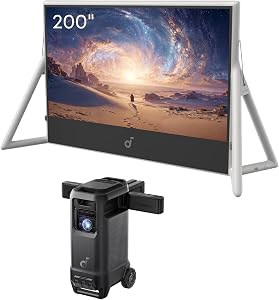
| soundcore Nebula X1 Pro with 200" Inflatable Screen, 4K Triple Laser | Soundcore | 4.4 | 4K triple laser projector with 200" silent inflatable screen, wireless 7.1.4 Dolby Atmos speakers, dual mics…; Wireless 7.1.4 Dolby Atmos Sound: Four battery-powered speakers (8-hour runtime) with 400W total power… |
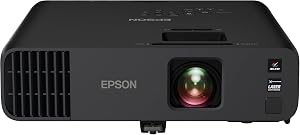
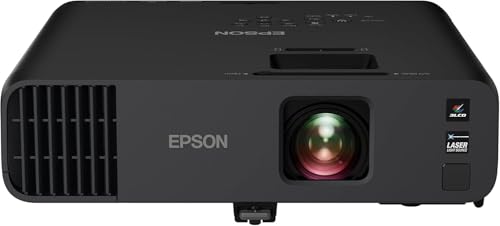
| Epson Pro EX11000 3-Chip 3LCD Full HD 1080p Wireless Laser Projector… | Epson | 4.6 | 4,600 lumens of color and white brightness ideal for displaying video conferences, large-group presentations…; 20,000 hours virtually maintenance-free laser light source (2) delivers incredible brightness with no bulbs… |
How We Research
Home Theater Projectors Complete Site is a research and comparison site. Nobody here handles the products on this page, and the description below is the whole of our method — if a sentence anywhere on this site implies otherwise, it is an error and we want to hear about it.
What the comparison is built from. Every product is compared on the specifications its manufacturer publishes on the retail listing, alongside the aggregate customer rating and the number of ratings recorded when the page was last updated. Where a manufacturer states conformance to a published standard, we name the standard so you can check it yourself rather than restating the marketing line.
How products get onto the list. Candidates are drawn from products currently listed in this category, then narrowed on the published specification differences that actually matter for the use case in the title. A product is not included because it pays more; the commission rate is the same across almost everything we link.
What gets re-checked. Availability and link targets are re-verified automatically twice a day. Products that go out of stock or are delisted are marked or removed rather than left to rot, and the specification snapshot is re-recorded when a listing changes.
What we do not do. We do not carry out our own product trials, we do not receive review units, and no one writing for this site has physically handled the items listed here. Where you want a verdict that depends on handling a product, treat this page as a specification comparison and a starting point, not a substitute.
Frequently Asked Questions
What is the biggest screen it can drive? In a dark room, comfortably 130–150 inches. In a room with lamps on, 100–120 inches. In daytime ambient light, 110 inches or less and only with a matched ALR screen. The limit is set by the target foot-lambert figure, not by any single number on the box.
Is 3,600 lumens enough for a bright living room? For a moderately lit room, yes, at a sensible screen size. For a room with direct sun on the screen wall, no lumen figure in this class is enough — that is a light-control problem, not a projector problem.
Will a high-gain screen fix a washed-out daytime image? No. Plain gain amplifies projector light and ambient light equally, so contrast does not improve. An ambient-light-rejecting screen is the correct tool, because it accepts light from the projector's direction and rejects light from above and the sides.
Why does my image look dimmer than the calculation says? Most commonly because the projector is in an accurate picture mode rather than its brightest one, which is the right choice. Other causes are eco or low-power lamp settings, a dynamic iris closing on dark content, a screen with gain below 1.0, and lamp or laser output declining with hours.
Should I buy brightness or screen size? They trade directly against each other — screen luminance falls with area. Decide the target foot-lambert figure for your room first, then let it tell you which of the two you can afford.
Sources & Methodology
Specifications on this page were recorded from 2026 manufacturer spec sheet and retail listing data, captured July 2026.
Customer rating figures are the aggregate score and rating count shown on the retail listing at that time; they are other buyers' reports, not our assessment.
Independent references for this category. These are places to verify a category claim for yourself. We link them because they are authoritative, not to imply their tests were run on our behalf:
- ISO 21118 — data-projector specification disclosure
- FTC Endorsement Guides — the disclosure rules this site is bound by
- CPSC recall database — check any product for open safety recalls
About the Author
This page was written by the ProjVue editorial team. ProjVue is a research and comparison site: nobody here handles, owns, or uses the products discussed on this page, and we do not systematically read customer reviews. The analysis is built from the specifications manufacturers publish and Amazon's official product data for each listing, the geometry and brightness arithmetic those specifications imply, and publicly documented standards you can check for yourself. We do not accept payment for placement or rankings.
Key Takeaways
- Choosing the right optoma uhd55 brightness screen size ambient light means matching the key features to your specific needs and budget
- Read real customer reviews and check the return policy before you commit
- Also covers: projector lumens to foot lamberts calculator
- Also covers: biggest screen size for 3600 lumens
- Also covers: calibrated picture mode brightness loss
- Compare value across models — the priciest option is not always the best fit


