As an Amazon Associate this site earns from qualifying purchases.
Top Picks

![[Built-in Apps/4K Support] Smart Outdoor Projector with WiFi and Bluetooth, Movie Projecto](/aimg/images/I/81y-kNix+lL._AC_SL300_.jpg)
![[Built-in Apps/4K Support] Smart Outdoor Projector with WiFi and Bluetooth, Movie Projector, DoIby Audio with Dual Speaker, Auto Focus w/ YouTube&PrimeVideo Proyector, Upgrad P62 Pro](https://projvue.com/aimg/images/I/51H3v1q5xyL._SL500_.jpg)
Working Out Image Size From Wall Gap
The manufacturer publishes a throw ratio and, usually, a table of distances for standard image sizes. The specification block below records the current published figures. The arithmetic is the same as any projector:
Image width = throw distance ÷ throw ratio
with the important caveat that for a UST unit, the "throw distance" in the manufacturer's table is normally measured from the back of the chassis to the wall, not from the lens or mirror. Read the footnote on the manufacturer's own distance table before you measure anything, because the two conventions differ by several inches and several inches is a large error in UST terms.
Finding the right hisense px3-pro placement cabinet depth comes down to matching the features to how you will actually use it.
For a projector in the 0.25:1 region, the shape of the relationship looks like this:
| Back-of-chassis to wall | Approx. image width | Approx. 16:9 diagonal |
|---|---|---|
| ~4 in | 78 in | 90 in |
| ~7 in | 87 in | 100 in |
| ~10 in | 96 in | 110 in |
| ~13 in | 105 in | 120 in |
Reviewed by the ProjVue Editorial Team
Last Updated: August 2026 Written by the ProjVue Editorial Team
Ultra short throw projectors fail on furniture, not on picture quality. The Hisense PX3-PRO is bought to replace a television, and the thing that decides whether it succeeds is whether the console it sits on is the right depth, the right height, and square to a wall flat enough to take the image.
This page is the placement guide: how UST throw geometry works, what image size a given wall gap produces, and the cabinet dimensions and tolerances that have to be right before the projector arrives.
UST Geometry Is Unforgiving in a Specific Way
A long-throw projector sits ten feet back and projects roughly along its own axis. Small errors in position produce small errors in the image, and a zoom ring absorbs the rest.
A UST projector sits inches from the wall and throws light upward at a steep angle through an aspheric mirror. There is no zoom. Image size is set entirely by the distance between the projector's rear edge and the wall, and that relationship is extremely sensitive: with a throw ratio in the region of 0.25:1, one inch of cabinet movement changes the image diagonal by roughly four to five inches.
That sensitivity is why UST installs go wrong. It is also why they are fixable — the adjustment is sliding a cabinet, not re-drilling a ceiling.
Treat those as the shape of the curve rather than exact figures for this model — confirm against the published table. What matters is the slope: three inches of cabinet position is ten inches of diagonal.
The Cabinet Specification
Four cabinet dimensions decide whether the install works.
Depth. The cabinet must be deep enough to hold the projector's full chassis depth plus the wall gap that produces your target image size, plus clearance behind the projector for cables and airflow. A projector chassis around 13–14 inches deep, plus a 7-inch wall gap for a 100-inch image, plus a couple of inches of cable clearance, needs a cabinet in the region of 22–24 inches deep. Most television consoles are 15 to 18 inches deep. This is the single most common reason a UST projector arrives and cannot be installed.
Height. UST projectors throw upward. The bottom edge of the image lands a fixed distance above the projector's own top surface, so cabinet height sets image height on the wall. Too low and the image bottom edge sits below comfortable eye line; too high and the image climbs into the ceiling. Around 20 to 24 inches of cabinet height is a common working range, but the correct figure is derived from the manufacturer's offset specification and your intended screen position, not from a rule of thumb.
Width. The projector must be centred horizontally on the screen. A cabinet that forces an off-centre position introduces horizontal keystone, which UST units correct digitally at a cost to sharpness.
Rigidity. A UST image is a lever arm: tiny rotations at the projector become visible geometry errors at the wall. A cabinet that flexes when someone leans on it, or that sits on a thick carpet and rocks, will need re-aligning repeatedly. Solid furniture on a hard floor, or feet that reach through carpet to the subfloor, is worth more here than on any other projector type.
Wall Flatness and Why the Screen Is Not Optional
UST light arrives at the wall at a very steep angle. That grazing incidence turns surface irregularities into visible shadows in a way that a head-on projection does not: a skim-coat ridge, a taped drywall seam, or a light orange-peel texture that is invisible under room lighting will show as a horizontal band across the image.
This is the reason a UST projector is really a two-part purchase. The lenticular ambient-light-rejecting screen designed for UST geometry solves two problems at once — it provides a flat, controlled surface, and its Fresnel structure accepts light from below while rejecting light from above, which is what makes a UST image hold contrast in a lit room.
Two mistakes to avoid:
- Pairing a UST projector with an angular-reflective ALR screen made for long-throw projectors. The optical structures are designed for opposite light-arrival angles. The result is a dark, uneven image.
- Assuming a painted wall will do. It can, in a genuinely dark room with a genuinely flat wall. In a lit room it discards most of what the projector cost.
Alignment: The Order That Works
- Set cabinet position roughly, using the manufacturer's distance table for your target image size.
- Square the cabinet to the wall. Measure from the wall to each rear corner of the projector; the two figures must match. This step is skipped constantly and is the cause of most trapezoidal UST images.
- Centre horizontally on the screen, measuring to the screen's centre line rather than the wall's.
- Slide the cabinet in or out in small increments to reach exact image size. Millimetres matter here.
- Only now use the projector's geometry correction, and only for a small residual. Every degree corrected digitally costs real resolution.
- Mark the cabinet feet positions on the floor. You will move the cabinet to get at cables, and you will want to put it back exactly.
Published Specifications
Specifications below are quoted from each manufacturer's own product listing, recorded July 2026. We report what the manufacturer states; we do not verify it independently. Customer ratings are other buyers' reports, not our assessment.
| Product | Brand | Customer rating | Specifications as published by the manufacturer |
|---|---|---|---|
| KOGATA VIDAA Smart Projector-4K Built-in Apps AI Auto Focus 60W Dolb… | KOGATA | 4.6 | Native 1080p That Rivals 4K; 100% zoom and projection sizes up to 300 inches, this portable projector adapts to any space—indoors or…; Beyond wireless, HDMI 2.0, USB-A, and 3.5mm audio out connect PS5, Xbox, Switch, soundbars, or laptops… |
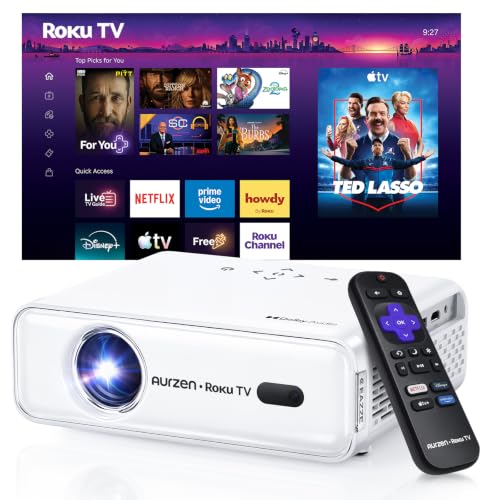
| Aurzen Roku TV D1R Smart Portable Outdoor Projector with WiFi and Bl… | Aurzen | 4.6 | Power Supply: 100-240V AC, 50/60Hz; The built-in Dual 5W speakers deliver crisp, powerful sound that fills the room; Dual-band WiFi (2.4G/5G) ensures smooth, lag-free streaming |
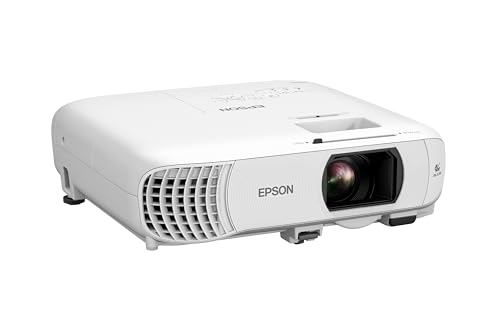
| Epson Home Cinema 980 3-Chip 3LCD 1080p Movie Projector with Built-I… | Epson | 4.5 | 4,000 Lumens of Color Brightness (IDMS rated) and 4,000 Lumens of White Brightness (ISO Rated)¹ |
| [Built-in Apps/4K Support] Smart Outdoor Projector with WiFi and Blu… | WiMiUS | 4.6 | [Cinematic 4K Support & 600ANSI & HDR10 |
| Valerion VisionMaster Pro2 Triple Laser Projector 4K,15000:1 Contras… | Valerion | 4.6 | Get lost in 4K UHD clarity enhanced by AI Super Resolution for sharper, more vivid details; Step into the future of projection with the cutting-edge Al-SoC MT9618 chipset, boasting 4GB RAM and 128GB…; 4ms Pro-Level Gaming - Enjoy ultra-smooth 4ms input lag and 240Hz refresh rate on ultra-wide 21:9 or 32:9… |
How We Research
Home Theater Projectors Complete Site is a research and comparison site. Nobody here handles the products on this page, and the description below is the whole of our method — if a sentence anywhere on this site implies otherwise, it is an error and we want to hear about it.
What the comparison is built from. Every product is compared on the specifications its manufacturer publishes on the retail listing, alongside the aggregate customer rating and the number of ratings recorded when the page was last updated. Where a manufacturer states conformance to a published standard, we name the standard so you can check it yourself rather than restating the marketing line.
How products get onto the list. Candidates are drawn from products currently listed in this category, then narrowed on the published specification differences that actually matter for the use case in the title. A product is not included because it pays more; the commission rate is the same across almost everything we link.
What gets re-checked. Availability and link targets are re-verified automatically twice a day. Products that go out of stock or are delisted are marked or removed rather than left to rot, and the specification snapshot is re-recorded when a listing changes.
What we do not do. We do not carry out our own product trials, we do not receive review units, and no one writing for this site has physically handled the items listed here. Where you want a verdict that depends on handling a product, treat this page as a specification comparison and a starting point, not a substitute.
Frequently Asked Questions
How deep does the cabinet need to be? Chassis depth plus the wall gap for your image size plus cable and airflow clearance. For a 100-inch image that typically lands in the low twenties of inches, which is deeper than most standard television consoles.
Can I project onto a plain painted wall? In a fully dark room with a genuinely flat, well-finished wall, yes. In any room with ambient light, no — a UST projector's contrast in a lit room depends on a lenticular ALR screen, and without one you are discarding much of what the projector is for.
Why is one side of my image larger than the other? The projector is not square to the wall. Measure from the wall to each rear corner of the chassis; the two distances must be equal. Fix it by rotating the projector rather than by applying digital keystone.
Does the cabinet height matter, or just the depth? Both. Depth sets image size; height sets where the image sits on the wall, because a UST projector throws upward from a fixed offset above its own top surface.
Can it be ceiling mounted like a normal projector? UST units are designed to sit below the screen and throw upward. Inverting one is not a supported configuration for this class of projector, and the optical geometry does not simply flip. If you need a ceiling mount, a short-throw or standard-throw projector is the right category.
Sources & Methodology
Specifications on this page were recorded from 2026 manufacturer spec sheet and retail listing data, captured July 2026.
Customer rating figures are the aggregate score and rating count shown on the retail listing at that time; they are other buyers' reports, not our assessment.
Independent references for this category. These are places to verify a category claim for yourself. We link them because they are authoritative, not to imply their tests were run on our behalf:
- ISO 21118 — data-projector specification disclosure
- FTC Endorsement Guides — the disclosure rules this site is bound by
- CPSC recall database — check any product for open safety recalls
About the Author
This page was written by the ProjVue editorial team. ProjVue is a research and comparison site: nobody here handles the products discussed on this page, and our recommendations are not based on physically using, owning, or trying them, nor on systematically reading customer reviews. The analysis is built from the specifications manufacturers publish, Amazon's official product data for each listing, the geometry and brightness arithmetic those specifications imply, and publicly documented standards you can check for yourself. We do not accept payment for placement or rankings.
Key Takeaways
- Choosing the right hisense px3-pro placement cabinet depth means matching the key features to your specific needs and budget
- Read real customer reviews and check the return policy before you commit
- Also covers: hisense px3 pro distance from wall 100 inch
- Also covers: ust projector cabinet depth requirement
- Also covers: ust projector wall flatness problems
- Compare value across models — the priciest option is not always the best fit


