As an Amazon Associate this site earns from qualifying purchases.
Top Picks
Screen Size at 8, 10 and 12 Feet
Take a projector with a zoom range whose wide end is 1.32:1 — a typical figure for a compact 3LCD home-cinema unit of this class, and close to what the 2350 publishes. Measure your throw distance from the front of the lens to the screen surface, not from the wall behind the projector and not from the back of the chassis.
| Lens-to-screen distance | Image width at wide zoom | Approx. 16:9 diagonal |
|---|---|---|
| 8 ft (96 in) | 73 in | 83 in |
| 9 ft (108 in) | 82 in | 94 in |
| 10 ft (120 in) | 91 in | 104 in |
| 11 ft (132 in) | 100 in | 115 in |
| 12 ft (144 in) | 109 in | 125 in |
Reviewed by the ProjVue Editorial Team
Finding the right epson home cinema 2350 throw distance comes down to matching the features to how you will actually use it.
Last Updated: August 2026 Written by the ProjVue Editorial Team
The Epson Home Cinema 2350 gets bought for living rooms, and living rooms are where its throw geometry either works immediately or does not work at all. This page answers one question: given the distance you can actually put between the lens and the wall, what size image does this projector produce, and where does it have to sit to produce it?
No verdict, no star rating. Just the placement arithmetic, the constraints the 2350's lens imposes, and the mounting options that follow from them.
Start With the Throw Ratio, Not the Screen
Every placement calculation for this projector starts from one published number: the throw ratio, and specifically the low end of its zoom range. The specification block further down this page records the figures as the manufacturer currently publishes them.
The relationship is fixed:
Throw distance = throw ratio × image width Image width = throw distance ÷ throw ratio
And to convert width to the diagonal figure screens are sold by, for 16:9 content:
Diagonal ≈ image width × 1.147
That is the whole toolkit. Everything below is those three lines applied to real room depths.
At the telephoto end of the same zoom range — call it 2.15:1 — the same distances produce much smaller images: about 51 inches wide at 8 feet, 67 inches at 12 feet. The zoom range is what gives you flexibility about where the projector sits for a given screen; it is not a way to make the image bigger than the wide end allows.
Two practical consequences fall out of that table:
A 100-inch screen needs about 9.6 feet of throw at the wide end. If your room cannot give the lens ten feet, a 100-inch screen is not happening with this projector without moving to a shorter-throw model.
A 120-inch screen needs about 11.5 feet. That is a dedicated-room number, not a living-room number, for most houses.
Where the Image Lands Vertically
Throw distance sets image size. Vertical offset sets image height on the wall, and it is where compact living-room projectors most often surprise people.
Projectors in this class typically have a fixed vertical offset — the image is projected upward from the lens axis by a set percentage of image height — and either no vertical lens shift or a very limited amount. A fixed positive offset means:
- Table-mounted, right way up: the image sits above the lens. Put the projector on a coffee table and the image climbs the wall. This is the intended orientation and usually the one that works.
- Ceiling-mounted, inverted: the image projects downward from the lens. This is why ceiling mounts for this class of projector need the projector hung reasonably high, and why the screen top edge ends up close to the ceiling line.
Why Keystone Correction Is Not a Placement Solution
Digital keystone correction makes an off-axis image rectangular by resampling it into a smaller, distorted region of the imaging chip. The image that reaches the screen is built from fewer real pixels than the source contains. On a 1080p-class chip, correcting a noticeable angle can cost visible sharpness, and it introduces scaling artefacts on fine text and edges.
Corner correction and four-point warping have the same cost. So does automatic keystone, which is the same operation performed for you.
The correct order of operations for placement is:
- Move the projector so the lens is square to the screen and centred horizontally.
- Use the vertical offset the projector actually has, by choosing the mount height that suits it.
- Use optical lens shift if the model provides it.
- Only then reach for digital correction, and only for a small residual.
The Three Mounting Options, and What Each Costs
Coffee table or low console, front of room. Simplest, no drilling, works with a fixed positive vertical offset. Costs: the projector is in the walking path, cables are visible, the fan is close to the audience, and anyone crossing the room casts a shadow.
Rear shelf behind the seating. Gains you throw distance in a shallow room and removes the shadow problem. Requires a shelf at the right height for the offset, and puts the fan directly behind the audience's heads — worth checking the published noise figure in the brightness mode you will actually use.
Ceiling mount. Cleanest result, most work. The projector must be inverted, which flips the vertical offset downward, so the mount has to be high enough for the image to land where you want it. Drop-tube length is the adjustment; get the calculation right before drilling, because a fixed-offset projector gives you very little room to correct afterwards.
A Placement Checklist Before You Buy the Screen
- Measure lens-to-screen distance in inches, at the exact position the projector can occupy.
- Divide by the wide-end throw ratio for maximum image width.
- Multiply width by 1.147 for the 16:9 diagonal, and buy a screen at or below that size.
- Check the vertical offset percentage and work out where the image top and bottom edges land at your mount height.
- Confirm there is clearance behind the projector for cables and airflow — exhaust vents need room, and a projector pushed flat against a wall runs hotter and louder.
- Check that no seating position puts a head inside the light path.
Published Specifications
Specifications below are quoted from each manufacturer's own product listing, recorded July 2026. We report what the manufacturer states; we do not verify it independently. Customer ratings are other buyers' reports, not our assessment.
| Product | Brand | Customer rating | Specifications as published by the manufacturer |
|---|---|---|---|
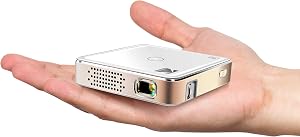
| Kodak Ultra Mini Portable Projector - HD 1080p Support LED DLP Recha… | KODAK | 4.1 | Filling Built-in Speakers, 3.5mm Input & Integrated HDMI, USB and MicroSD Hookup |
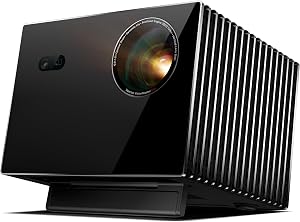
| Valerion VisionMaster Max 4K Laser Projector, 3500 ISO Lumens, Anti… | Valerion | 4.6 | With gigabit broadband and WiFi 6E, enjoy uninterrupted 4K streaming at the highest bitrates—no buffering, no… |
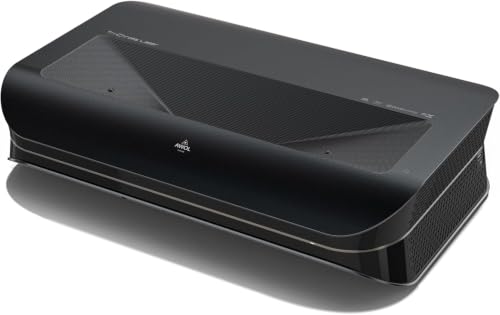
| AWOL VISION LTV-3000 Pro 4K 3D Ultra Short Throw Triple Laser Projec… | AWOL VISION | 4.5 | Triple Laser (No Color Wheel) + 4K UHD + Dolby Vision + HDR10+ + 3D support deliver sharp, vibrant images day… |
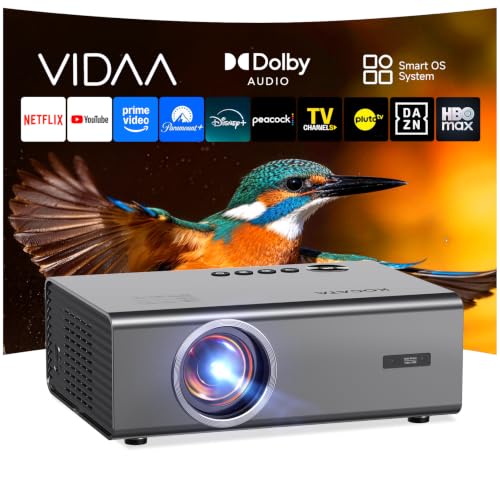
| KOGATA VIDAA Smart Projector-4K Built-in Apps AI Auto Focus 60W Dolb… | KOGATA | 4.6 | Native 1080p That Rivals 4K; 100% zoom and projection sizes up to 300 inches, this portable projector adapts to any space—indoors or…; Beyond wireless, HDMI 2.0, USB-A, and 3.5mm audio out connect PS5, Xbox, Switch, soundbars, or laptops… |
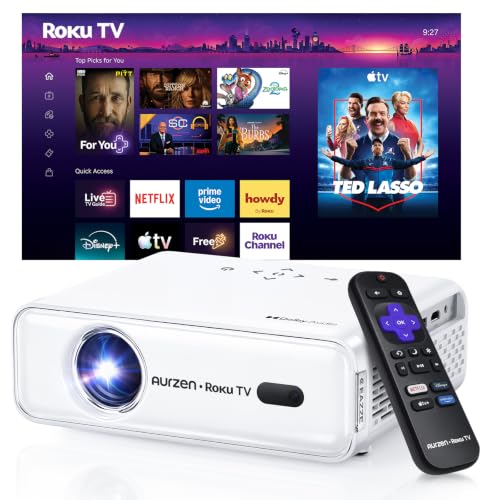
| Aurzen Roku TV D1R Smart Portable Outdoor Projector with WiFi and Bl… | Aurzen | 4.6 | Power Supply: 100-240V AC, 50/60Hz; The built-in Dual 5W speakers deliver crisp, powerful sound that fills the room; Dual-band WiFi (2.4G/5G) ensures smooth, lag-free streaming |
How We Research
Home Theater Projectors Complete Site is a research and comparison site. Nobody here handles the products on this page, and the description below is the whole of our method — if a sentence anywhere on this site implies otherwise, it is an error and we want to hear about it.
What the comparison is built from. Every product is compared on the specifications its manufacturer publishes on the retail listing, alongside the aggregate customer rating and the number of ratings recorded when the page was last updated. Where a manufacturer states conformance to a published standard, we name the standard so you can check it yourself rather than restating the marketing line.
How products get onto the list. Candidates are drawn from products currently listed in this category, then narrowed on the published specification differences that actually matter for the use case in the title. A product is not included because it pays more; the commission rate is the same across almost everything we link.
What gets re-checked. Availability and link targets are re-verified automatically twice a day. Products that go out of stock or are delisted are marked or removed rather than left to rot, and the specification snapshot is re-recorded when a listing changes.
What we do not do. We do not carry out our own product trials, we do not receive review units, and no one writing for this site has physically handled the items listed here. Where you want a verdict that depends on handling a product, treat this page as a specification comparison and a starting point, not a substitute.
Frequently Asked Questions
Can it be ceiling mounted? Yes, with the image inverted in the menu and a mount rated for its weight. Because the vertical offset is fixed, the mount height determines where the image lands; calculate the drop-tube length from the offset percentage and your intended screen position before drilling.
Does it have lens shift? Compact home-cinema projectors in this class typically have limited or no lens shift and rely on a fixed vertical offset instead. Check the current specification sheet for the model you are buying, because this varies within Epson's Home Cinema line and it is the specification that decides whether a given mount position is workable.
What happens if I use keystone correction to fix an off-angle image? The image is resampled into a smaller region of the chip, which reduces effective resolution and can soften fine detail and text. It works, and it is a reasonable fix for a small residual angle, but it should not be the plan for a placement you could have solved by moving the projector.
Is 8 feet enough distance? It produces roughly an 83-inch diagonal at the wide zoom setting, which is a perfectly good living-room image. It is not enough for a 100-inch screen with this lens.
Should I measure from the wall or from the lens? From the lens. Throw ratio is defined lens-to-screen. Measuring from the wall behind the projector adds the depth of the chassis and will make your image come out smaller than the calculation predicted.
Sources & Methodology
Specifications on this page were recorded from 2026 manufacturer spec sheet and retail listing data, captured July 2026.
Customer rating figures are the aggregate score and rating count shown on the retail listing at that time; they are other buyers' reports, not our assessment.
Independent references for this category. These are places to verify a category claim for yourself. We link them because they are authoritative, not to imply their tests were run on our behalf:
- ISO 21118 — data-projector specification disclosure
- FTC Endorsement Guides — the disclosure rules this site is bound by
- CPSC recall database — check any product for open safety recalls
About the Author
This page was written by the ProjVue editorial team. ProjVue is a research and comparison site: nobody here handles the products discussed on this page, and the site does not physically test, own, or use them, nor does it systematically read customer reviews. The analysis is built from the specifications manufacturers publish, Amazon's official product data for each listing, the geometry and brightness arithmetic those specifications imply, and publicly documented standards you can check for yourself. We do not accept payment for placement or rankings.
Key Takeaways
- Choosing the right epson home cinema 2350 throw distance means matching the key features to your specific needs and budget
- Read real customer reviews and check the return policy before you commit
- Also covers: epson home cinema 2350 screen size chart
- Also covers: epson 2350 ceiling mount height
- Also covers: projector throw ratio to screen width formula
- Compare value across models — the priciest option is not always the best fit