As an Amazon Associate this site earns from qualifying purchases.
Top Picks
![[4200 ANSI] 4K Projector with WiFi and Bluetooth,TOF Real-Time Auto Focus Projector, AuKin](/aimg/images/I/71lmEpMaBjL._AC_SL300_.jpg)
![[3500-Ultra Bright/Official Apps Downloads/65W Dolby Audio/4K Support] Smart Outdoor Proje](/aimg/images/I/719ncpvB3FL._AC_SL300_.jpg)
![[4200 ANSI] 4K Projector with WiFi and Bluetooth,TOF Real-Time Auto Focus Projector, AuKing Outdoor Movie Home Proyector with Omni-Adjustable Stand(silver grey)](https://projvue.com/aimg/images/I/41E+j966MbL._SL500_.jpg)
Working Out Screen Width From Throw Ratio
Throw ratio is published as a number, or a range for zoom lenses, and the relationship is simple:
Throw distance = throw ratio × screen width
Rearranged for the question you actually have:
Finding the right best 4k projector for a 12 foot room comes down to matching the features to how you will actually use it.
Screen width = throw distance ÷ throw ratio
Say your ceiling mount can realistically sit 11 feet (132 inches) from the wall, allowing a foot of back-wall clearance. A projector with a 1.35:1 throw ratio at its widest zoom setting gives you 132 ÷ 1.35 = 97.8 inches of image width. In a 16:9 aspect ratio, image width × 1.147 gives the diagonal, so that is roughly a 112-inch screen.
The same room with a 1.6:1 lens gives 132 ÷ 1.6 = 82.5 inches wide, about a 95-inch diagonal. Two projectors, identical mount position, seventeen inches of diagonal between them. That difference is decided entirely by a spec line most buyers skim past.
A zoom lens published as, say, 1.32–2.15:1 means the short end of that range is what matters in a twelve-foot room. Read the low number; the high number is for people with more depth than you have.
Quick Reference: Screen Diagonal by Throw Ratio in a 12-Foot Room
Assuming a lens-to-screen distance of 132 inches (11 feet, leaving a foot of clearance behind the projector):
| Throw ratio (wide end) | Image width | Approx. 16:9 diagonal |
|---|---|---|
| 1.20:1 | 110 in | 126 in |
| 1.35:1 | 98 in | 112 in |
| 1.50:1 | 88 in | 101 in |
| 1.60:1 | 83 in | 95 in |
| 1.80:1 | 73 in | 84 in |
| 2.00:1 | 66 in | 76 in |
Reviewed by the ProjVue Editorial Team
Last Updated: August 2026 Written by the ProjVue Editorial Team
Twelve feet is the most common home-theatre room depth in North America, and it is also the depth at which most 4K projector buying advice quietly stops applying. Round-ups are written for dedicated rooms with eighteen to twenty-two feet of run-back. Put the same projector in a twelve-foot room and you hit three walls at once: the lens cannot zoom short enough to fill the screen you wanted, the seats end up close enough that pixel structure becomes visible, and the throw geometry forces the projector into a spot where somebody's head is in the beam.
This page is about fit, not about which model wins a shoot-out. It works through the arithmetic that decides whether a 4K projector belongs in a twelve-foot room at all, what screen size that room can actually carry, and which specification lines on a product page tell you the answer before you buy.
The Two Distances People Confuse
Almost every bad projector purchase in a short room traces back to conflating two different measurements.
Throw distance is the gap between the projector's lens and the screen surface. It is set by the throw ratio the manufacturer publishes, and it determines image width.
Seating distance is the gap between your eyes and the screen. It determines whether the resolution you paid for is visible at all.
In a twelve-foot room these two numbers fight each other. A ceiling-mounted long-throw projector wants to sit at the back wall, which is roughly where you also want to sit. Every foot you claim for throw is a foot you lose from seating, and vice versa.
If the projector you are considering publishes a wide end above about 1.6:1, a twelve-foot room will not give you a 100-inch-plus image from a rear mount. That is not a defect; it is geometry.
Where the Seats Have to Go
Now the second distance. A 4K image at 3840 × 2160 resolves detail that a 1080p image cannot — but only if you sit close enough for your eye to separate the pixels.
The commonly cited SMPTE and THX viewing-angle recommendations put a cinematic field of view at roughly 30 to 40 degrees horizontally. In practical terms:
- 1.2 × screen width puts you at about a 40-degree field of view. This is where 4K clearly separates from 1080p on a large screen.
- 1.5 × screen width is around 33 degrees, the middle of the comfortable range.
- 2.0 × screen width is roughly 26 degrees. At this distance the resolution advantage of 4K over a good 1080p image narrows considerably on screens under 100 inches.
That is not necessarily wrong. It is immersive, and it is exactly the case where native 4K resolution earns its price. But it changes what you should prioritise. Sitting at 1.0× screen width means:
- Pixel structure and screen-door effect become visible on lower-resolution or heavily pixel-shifted images.
- Screen texture and weave become visible on cheap fabric.
- Poor uniformity at the edges of the lens is no longer hidden.
What This Means for the Specs You Shortlist
Once the room is fixed at twelve feet, the priority order of specifications changes from what a general round-up would tell you.
Throw ratio wide end comes first. It decides your maximum screen. Nothing else on the spec sheet can rescue a lens that cannot reach.
Vertical lens shift matters more than in a long room. In a short room the projector often ends up mounted lower than ideal, or on a rear shelf rather than the ceiling. Lens shift lets you correct the image position optically, without the resolution loss that digital keystone correction imposes. A projector with generous vertical shift gives you real placement freedom; one with a fixed offset does not.
Resolution honesty matters more. At 1.0–1.2× screen width, the difference between a native 4K imaging chip and a 1080p chip doing four-phase pixel shifting is more visible than it would be at 1.5×. If your room forces close seating, that is an argument for spending on resolution rather than on brightness.
Fan noise matters more. In a twelve-foot room the projector is a few feet from your head. A unit rated in the mid-30 dB range is audible during quiet passages in a way it would not be at the back of a twenty-foot room.
Brightness matters somewhat less than in a big room, because you are lighting a smaller screen. Screen luminance is roughly lumens ÷ screen area, so the same projector on a 95-inch screen is noticeably brighter than on a 130-inch screen. A short room is one of the few places where a modest lumen figure is genuinely enough — provided the room is dark.
The Ultra Short Throw Alternative
If the arithmetic above rules out the projector you wanted, the other answer to a twelve-foot room is to stop throwing from the back of it. An ultra short throw unit sits on a console a foot or so from the wall, with a throw ratio in the 0.2:1 range, and takes the projector out of the seating equation entirely.
The trade is that UST geometry is unforgiving about surface flatness, cabinet height and screen type, and a UST image in a bright room needs an ambient-light-rejecting screen to hold contrast. It solves the depth problem and introduces an installation problem. Whether that is a good trade depends on whether your twelve feet are dark.
Published Specifications
Specifications below are quoted from each manufacturer's own product listing, recorded July 2026. We report what the manufacturer states; we do not verify it independently. Customer ratings are other buyers' reports, not our assessment.
| Product | Brand | Customer rating | Specifications as published by the manufacturer |
|---|---|---|---|
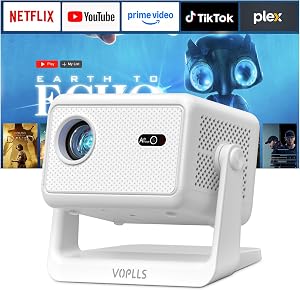
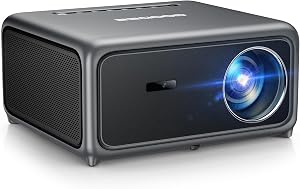
| [4200 ANSI] 4K Projector with WiFi and Bluetooth,TOF Real-Time Auto… | AuKing | 4.3 | The AuKing 4K delivers a stunning 4200 ANSI lumens; Paired with WiFi 6 (up to 9.6 Gbps) and Bluetooth 5.2, this wifi projector ensures ultra-smooth 4K streaming…; Plug your 4K streaming stick or player into the HDMI port—our projector accepts native 4K signals and… |
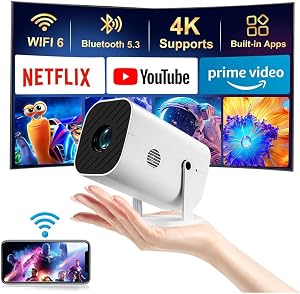
| YGSKK Mini Projector with Wifi and Bluetooth, Built-in Apps,Movie Pr… | YGSKK | 4.6 | Fi 6 technology, compatible with Wi-Fi 6, 5G and 2.4G, offering faster connection speed and stronger…; Moreover, this movie projector is compatible with 4K, allowing you to enjoy the perfect experience of 4K…; In addition, this portable projector can project a large screen of 50 to 200 inches |
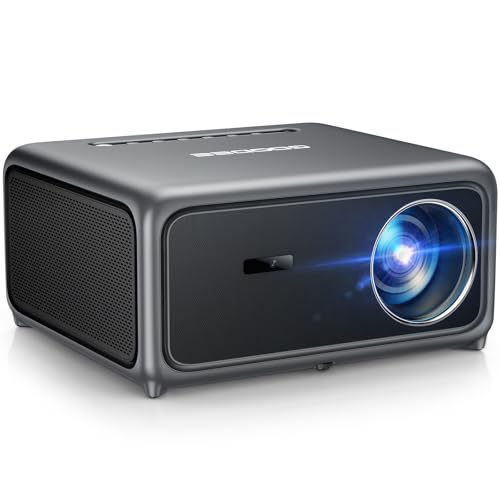
| GooDee 4K Smart Projector with 5G WiFi 6 & Bluetooth, ToF AI Auto Fo… | GOODEE | 4.5 | this 4K Projector brings every scene to life with vivid, lifelike precision; Instant Smart Calibration with 1ms ultra-low latency tunes images up to 10× faster than standard systems; This smart outdoor projector features Dolby Audio-certified 30W dual speakers, delivering immersive 3D… |
How We Research
Home Theater Projectors Complete Site is a research and comparison site. Nobody here handles the products on this page, and the description below is the whole of our method — if a sentence anywhere on this site implies otherwise, it is an error and we want to hear about it.
What the comparison is built from. Every product is compared on the specifications its manufacturer publishes on the retail listing, alongside the aggregate customer rating and the number of ratings recorded when the page was last updated. Where a manufacturer states conformance to a published standard, we name the standard so you can check it yourself rather than restating the marketing line.
How products get onto the list. Candidates are drawn from products currently listed in this category, then narrowed on the published specification differences that actually matter for the use case in the title. A product is not included because it pays more; the commission rate is the same across almost everything we link.
What gets re-checked. Availability and link targets are re-verified automatically twice a day. Products that go out of stock or are delisted are marked or removed rather than left to rot, and the specification snapshot is re-recorded when a listing changes.
What we do not do. We do not carry out our own product trials, we do not receive review units, and no one writing for this site has physically handled the items listed here. Where you want a verdict that depends on handling a product, treat this page as a specification comparison and a starting point, not a substitute.
Frequently Asked Questions
Is 4K worth it if my room is only 12 feet deep? Usually yes, because a short room pushes you into close seating, and close seating is exactly where 4K resolution is visible. The counter-argument is not room depth but screen size: on a screen under about 90 inches viewed from ten feet, the difference narrows.
Should the projector go on the ceiling or behind the seats? A rear shelf mount is often better in a short room because it avoids the head-in-beam problem and can gain you a foot or two of throw. It requires enough vertical lens shift to place the image correctly from a low position, and it puts the fan closer to the audience.
How do I check the numbers for a specific model? Find the throw ratio in the manufacturer's own specification sheet, take the wide end of the range, and divide your usable throw distance in inches by it. That gives image width; multiply by 1.147 for a 16:9 diagonal. Do this before you look at any other spec.
Does digital keystone correction let me ignore all this? No. Keystone correction resamples the image to fit a shape the lens is not naturally producing, which discards resolution — the opposite of what you bought a 4K projector for. Use optical lens shift where it exists and treat keystone as a last resort.
Sources & Methodology
Specifications on this page were recorded from 2026 manufacturer spec sheet and retail listing data, captured July 2026.
Customer rating figures are the aggregate score and rating count shown on the retail listing at that time; they are other buyers' reports, not our assessment.
Independent references for this category. These are places to verify a category claim for yourself. We link them because they are authoritative, not to imply their tests were run on our behalf:
- ISO 21118 — data-projector specification disclosure
- FTC Endorsement Guides — the disclosure rules this site is bound by
- CPSC recall database — check any product for open safety recalls
About the Author
This page was written by the ProjVue editorial team. ProjVue is a research and comparison site: nobody here handles the products discussed on this page, and none of this comes from physically using, owning, or testing them, nor from systematically reading customer reviews. The analysis is built from the specifications manufacturers publish, Amazon's official product data for each listing, the geometry and brightness arithmetic those specifications imply, and publicly documented standards you can check for yourself. We do not accept payment for placement or rankings.
Key Takeaways
- Choosing the right best 4k projector for a 12 foot room means matching the key features to your specific needs and budget
- Read real customer reviews and check the return policy before you commit
- Also covers: 12 foot room projector throw distance
- Also covers: screen size for 12 foot viewing distance
- Also covers: 4k projector seating distance
- Compare value across models — the priciest option is not always the best fit


